Mastering the December Procreate Color Palette: A Guide to Festive Digital Art
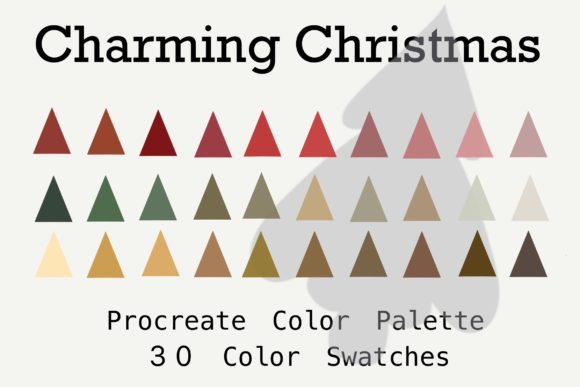
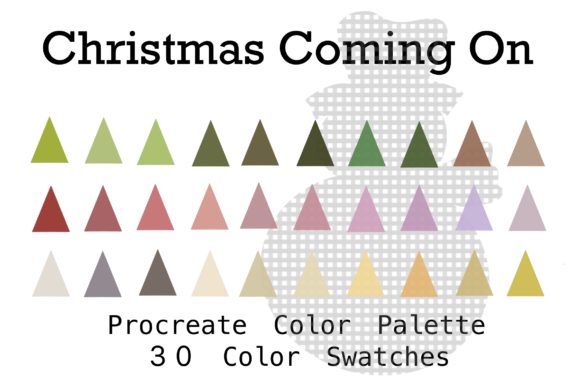
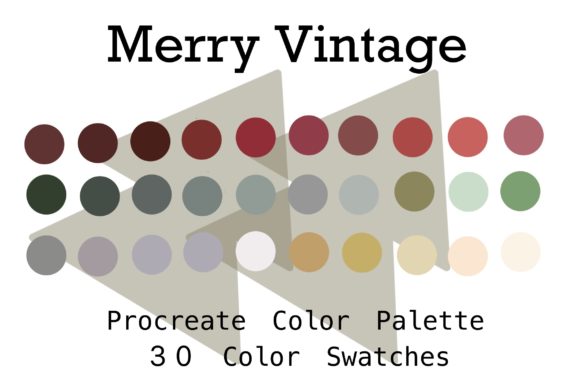
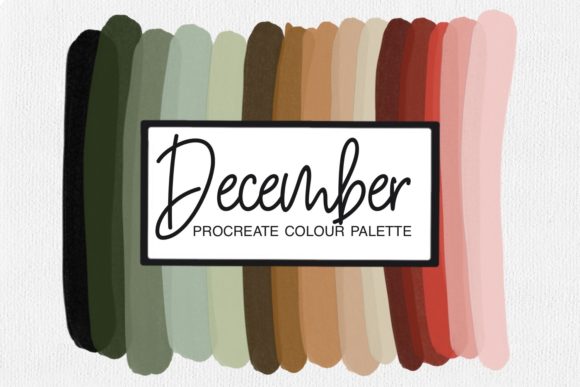
As the year draws to a close, the digital art community often shifts its focus toward themes of warmth, reflection, and celebration. For artists using the iPad, this seasonal transition offers a perfect opportunity to refresh their creative toolkit. One of the most effective ways to capture the essence of the holiday season is through the strategic use of color. This is where a specialized December Procreate Color Palette becomes an invaluable asset. Designed specifically for use within the Procreate app, this collection allows artists to bypass the often tedious process of manual color selection and dive straight into creation.
Understanding how to leverage these pre-curated colors can significantly enhance your workflow, whether you are a beginner learning the ropes of digital illustration or an experienced professional looking to streamline your process. In this guide, we will explore the significance of seasonal palettes, how to import and utilize them effectively, and why choosing the right hues matters for your artistic expression.
Why Seasonal Color Palettes Matter in Digital Art
Color is more than just a visual element; it is a language that communicates mood, atmosphere, and emotion. In traditional painting, mixing the perfect shade of crimson for a holly berry or a muted slate for a winter sky takes time and practice. In digital art, while the mechanics are different, the challenge of color harmony remains. A December Procreate Color Palette solves this by providing a harmonious set of hues that are scientifically and aesthetically balanced to evoke the feelings associated with the month.
The purpose of such a palette is twofold. First, it saves time. Instead of scrolling through the color wheel trying to find a "festive red" that doesn't look too bright or artificial, you have immediate access to shades that are ready to use. Second, it ensures consistency. When working on a series of illustrations—such as holiday cards, social media posts, or a zine—using a unified palette ensures that all pieces feel part of the same cohesive world.
For modern creators, efficiency is key. The ability to download a palette directly to your iPad and import it into your Procreate library means you can start creating within seconds. This immediacy helps maintain creative flow, preventing the frustration that often comes from technical hurdles.
The Psychology of December Hues
To truly appreciate the value of a December-specific palette, it helps to understand the psychology behind the colors. December is a complex month visually. It contains the stark, cold blues and whites of winter landscapes, but also the warm, inviting golds, deep greens, and rich reds of holiday traditions. A well-designed palette balances these contrasting elements.
- Deep Reds and Berries: These evoke warmth, comfort, and tradition. They are essential for illustrating cozy indoor scenes, festive decorations, and clothing.
- Forest and Pine Greens: These provide a natural, grounding element. They contrast beautifully with reds and add depth to backgrounds.
- Icy Blues and Silvers: These represent the external environment—the snow, the ice, and the crisp winter air. They create a sense of space and coldness that makes the warm colors pop even more.
- Gold and Amber: These accents mimic the glow of candlelight, fairy lights, and fireplaces, adding a magical quality to any piece.
By using a palette that includes these specific tonal relationships, artists can subconsciously guide the viewer’s emotional response. A scene dominated by icy blues might feel lonely or serene, while one infused with amber and red feels welcoming and joyful. Understanding this allows you to make intentional choices rather than random ones.
How to Import and Use Your December Palette in Procreate
One of the greatest strengths of the Procreate ecosystem is its flexibility. Importing a new color palette is a straightforward process, but for those new to the app, it can seem daunting. Here is a step-by-step breakdown of how to get your December Procreate Color Palette up and running on your iPad.
- Download the File: Ensure you have downloaded the palette file (usually in .swatches or .procreatepalette format) to your iPad. This is typically done via Safari or Files app.
- Open Procreate: Launch the Procreate app and open any canvas. It does not matter if it is a new sketch or an existing project.
- Access the Color Panel: Tap on the color circle in the top right corner to open the color disc.
- Navigate to Palettes: At the top of the color panel, you will see several tabs. Tap on the "Palettes" tab, which usually looks like a grid of colored squares.
- Import: Look for the "+" sign or the "Import" button. Select the file you downloaded earlier. The palette should now appear in your list.
- Select and Create: Tap on the new December palette to activate it. You can now select any color from the grid and begin painting.
Once imported, these colors become part of your permanent library unless you choose to delete them. This means you can return to them year after year, building a personal archive of seasonal tools that suit your specific style.
Integrating Brushes with Your Palette
While the color palette provides the hues, the brushes provide the texture. Many December-themed collections also include custom brushes designed to complement the colors. For instance, a "snowflake" brush paired with an icy blue from your palette can create instant atmospheric effects. Similarly, a "glitter" or "sparkle" brush works exceptionally well with the gold and amber tones in the palette.
When you import brushes into your Procreate brush library, you can combine them with your new colors for a synergistic effect. The key is experimentation. Try using a textured brush with a flat color to see how the interaction changes the feel of the stroke. Does a rough charcoal brush make the deep red look more rustic? Does a soft airbrush make the icy blue look more ethereal? These small adjustments can define the style of your artwork.
Practical Applications for Artists and Designers
The utility of a December Procreate Color Palette extends beyond simple hobbyist sketching. It has practical relevance in various professional and educational contexts.
Commercial Illustration: Freelancers often face tight deadlines during the holiday season. Having a pre-made palette allows for rapid prototyping of concepts for greeting cards, advertisements, and packaging designs. Clients appreciate consistency, and a curated palette ensures that the final deliverables meet brand expectations for seasonal campaigns.
Social Media Content: Influencers and content creators need to keep their feeds visually appealing. Using a consistent color scheme for December posts helps maintain a recognizable aesthetic. Whether you are creating quote graphics, short animations, or digital stickers, the palette ensures your content stands out in a crowded feed.
Educational Projects: For teachers and students, exploring seasonal palettes can be a lesson in color theory. Educators can use these tools to teach students about complementary colors (red and green), analogous schemes (blue, teal, and green), and temperature contrast. It provides a tangible, engaging way to discuss abstract artistic concepts.
Common Misunderstandings About Digital Palettes
Despite their benefits, there are some common misconceptions about using pre-made palettes. One frequent assumption is that using a preset palette limits creativity. In reality, it does the opposite. By removing the decision fatigue of choosing every single hue, artists are free to focus on composition, storytelling, and technique. The palette serves as a foundation, not a cage. You are always free to adjust the saturation, brightness, or hue of any selected color within Procreate.
Another misunderstanding is that digital colors look "flat" compared to traditional media. This is often a result of poor color choice rather than the medium itself. A well-curated December palette includes subtle variations in tone and saturation that mimic the complexity of real-world lighting. When used correctly, digital art can possess as much depth and nuance as oil or watercolor.
Conclusion: Embrace the Season with Confidence
The December Procreate Color Palette is more than just a set of digital swatches; it is a tool for enhancing creativity, efficiency, and emotional resonance in your art. By understanding the psychology behind the colors and mastering the technical steps of importing them, you can elevate your digital illustrations. Whether you are designing for business, education, or personal joy, these colors provide a structured yet flexible framework for capturing the spirit of the season.
So, select your color, import your brushes, and let your creativity flow. The holidays are a time for expression, and with the right tools, your art can shine brighter than ever. For more resources on digital art techniques, consider exploring tutorials on layer blending modes and texture overlays to further enhance your seasonal creations.