Portrait Scribble Sketch Photoshop Action: An Evaluation
In the evolving landscape of digital photography and graphic design, the demand for efficient post-processing tools continues to grow. Among these tools, automated scripts and actions have become essential for professionals seeking to streamline their workflows without sacrificing creative quality. The Portrait Scribble Sketch Photoshop Action represents one such tool, designed to transform standard photographs into stylized, hand-drawn sketches. This article provides an objective evaluation of this asset, exploring its functionality, compatibility, and suitability for various creative projects.
Understanding the Tool
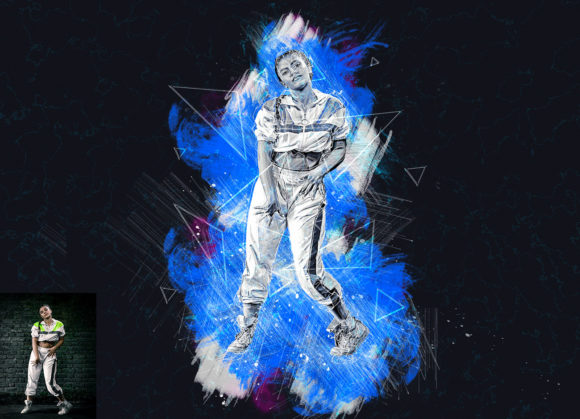
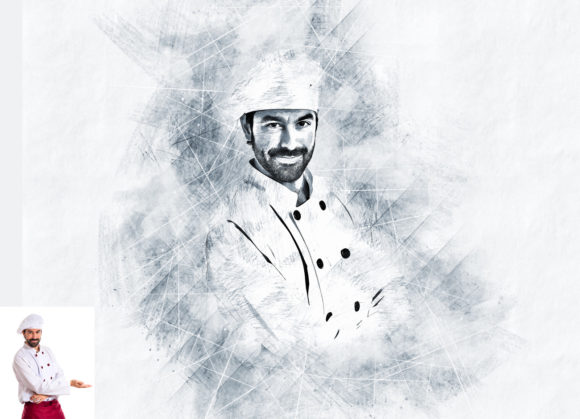
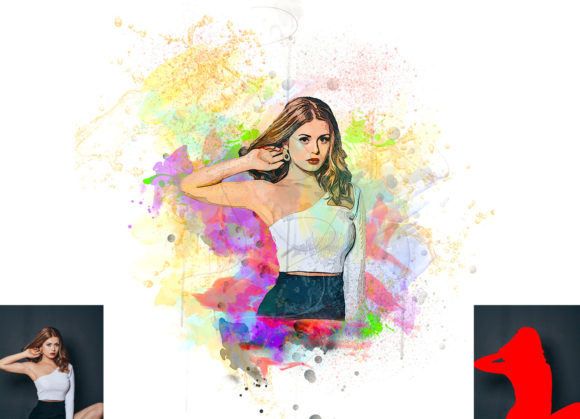
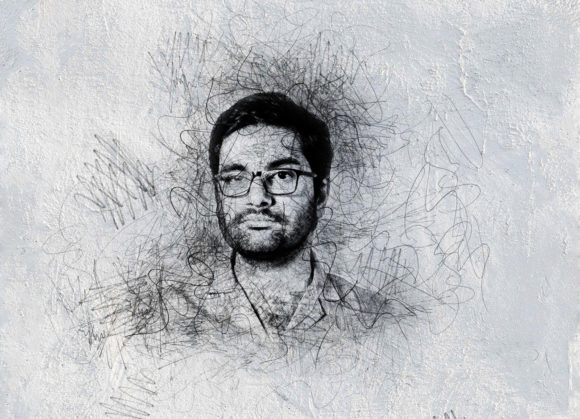
The Portrait Scribble Sketch Photoshop Action is a pre-recorded set of commands within Adobe Photoshop that automates the process of converting a portrait photograph into a scribble-style sketch. Rather than manually applying filters, adjusting layer styles, and masking details—a process that can take hours—this action executes a complex series of steps in seconds. The core value proposition lies in its ability to enhance images by adding a unique, artistic aesthetic that mimics traditional pencil or ink drawings.
This specific action set is engineered to work with a wide range of Adobe Photoshop versions, ensuring accessibility for users who may not be on the latest software updates. It supports versions from CS4 through CC2020, making it a versatile option for studios with varied technical environments. The tool is particularly noted for its inclusion of ten different color options, allowing users to diversify the output without needing to create multiple variations from scratch.
Key Features and Workflow
One of the most critical aspects of any Photoshop action is its ease of use and the clarity of its instructions. The Portrait Scribble Sketch Photoshop Action requires a specific, yet straightforward, preparation process. Users are instructed to open their chosen photo, create a new layer, and rename it "paint" in lowercase letters. Using a soft brush, the user paints over the areas of the image they wish to emphasize or retain detail. Once this preparatory step is complete, the user hides the "paint" layer, selects it, and plays the action. This method ensures that the final result is not a blanket filter applied to the entire image, but a customized effect that respects the subject's key features.
The package includes several components beyond the primary ATN file. It comes with custom brushes and patterns, which are integral to achieving the textured look characteristic of scribble sketches. Additionally, the inclusion of a PDF help file and a user guide aims to reduce the learning curve for beginners. The promise of organized layers upon completion is another significant feature, as it allows designers to further tweak opacity, blending modes, or colors after the action has run.
Benefits for Photographers and Designers
For professionals managing high volumes of imagery, time efficiency is paramount. The primary benefit of this action is speed. What might take an experienced artist thirty minutes to achieve manually can be accomplished in under a minute. This efficiency makes the tool ideal for commercial projects where turnaround time is critical, such as social media content creation, marketing materials, or quick client proofs.
Furthermore, the consistency offered by automated actions helps maintain a cohesive visual identity across a series of images. By using the same action settings, designers can ensure that all portraits in a campaign share the same stylistic traits. The ten different color options provide enough variation to prevent monotony while still adhering to a unified theme. This balance between automation and customization is often what separates useful assets from generic filters.
Considerations and Limitations
While the benefits are clear, potential users must also consider the limitations. Automated actions are rarely "one-click" solutions that require zero input. The requirement to manually paint on a "paint" layer means that the quality of the output is directly dependent on the user’s input. If the initial brushing is sloppy or inaccurate, the resulting sketch may look disjointed or fail to capture the subject’s likeness effectively. Therefore, this tool is best viewed as an assistant rather than a replacement for artistic judgment.
Additionally, the resolution of the source image plays a crucial role in the final outcome. The developers recommend using images with dimensions of at least 3000x2000 pixels at 72 DPI. Lower resolution images may result in pixelated or blurry sketches, as the action relies on detailed data to generate the scribble effects. Users working with older, low-resolution photos may need to upscale them before applying the action, which can introduce its own set of artifacts.
It is also important to note that preview images and mockups are typically not included in the download package. This means users must rely on the developer’s promotional materials to gauge the potential results, which may not always reflect the performance on diverse lighting conditions or skin tones. Testing the action on a variety of sample images is advisable before committing to a large project.
Ideal Use Cases
The Portrait Scribble Sketch Photoshop Action is a strong fit for specific scenarios. It is particularly effective for creating personalized gifts, such as custom portraits for birthdays or anniversaries, where a hand-drawn aesthetic adds emotional value. In editorial design, it can be used to create striking headers or background elements that differentiate a publication from competitors. Marketing agencies may find it useful for creating eye-catching social media posts that stand out in a feed dominated by high-gloss photography.
Moreover, educators and students studying digital art can use this tool to deconstruct the layering and blending techniques involved in creating sketch effects. By examining the organized layers generated by the action, learners can gain insights into professional workflows and apply those principles to their manual work.
When to Consider Alternatives
Despite its advantages, there are situations where alternative approaches may be more suitable. For projects requiring hyper-realistic precision or highly specific artistic directions, manual drawing or advanced digital painting techniques may be necessary. Automated actions often lack the nuance required for fine art commissions where every stroke must be intentional and unique.
Additionally, users who do not have access to Adobe Photoshop will need to seek alternative software solutions. While other image editing programs offer similar filter capabilities, they may not support ATN files, rendering this specific action incompatible. In such cases, standalone apps or online converters that specialize in sketch effects might be more practical, though they often offer less control over the final output.
Making the Decision
Choosing whether to integrate the Portrait Scribble Sketch Photoshop Action into your workflow depends on your specific needs and technical setup. If you are a photographer or designer using a supported version of Photoshop (CS4–CC2020) and frequently require stylized portrait effects, this tool offers a compelling balance of speed and quality. The inclusion of multiple color options and customizable layers adds significant value, allowing for creative flexibility.
However, success with this tool requires a willingness to engage with the preparatory steps. It is not a passive solution but an interactive one. Users should be prepared to invest time in learning the brushing technique and experimenting with different source images to understand how the action responds to various lighting and contrast levels. For those willing to master the workflow, the Portrait Scribble Sketch Photoshop Action can be a powerful addition to their digital toolkit, enhancing productivity and expanding creative possibilities.