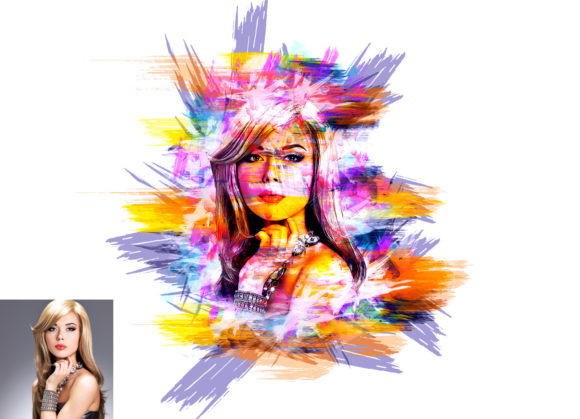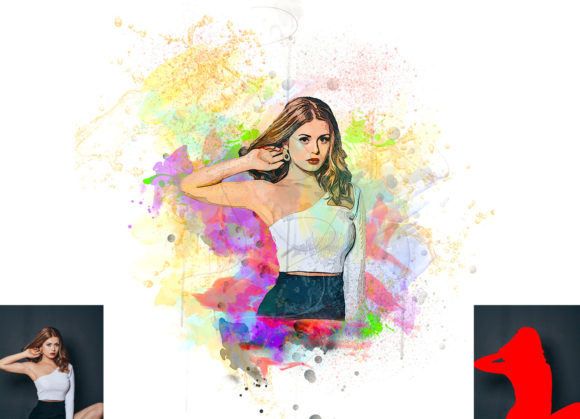
Transforming Photos with the Comic Watercolor Effect Photoshop Action
Digital artists and photographers often seek efficient ways to bridge the gap between realistic photography and stylized illustration. The Comic Watercolor Effect Photoshop Action offers a specialized solution for this creative need. By automating complex layering and blending processes, this tool allows users to convert standard photographs into vibrant, hand-painted comic-style artworks. Understanding how this specific action functions, its technical requirements, and where it fits within the broader landscape of digital editing tools is essential for making an informed decision about your workflow.
Understanding the Core Functionality
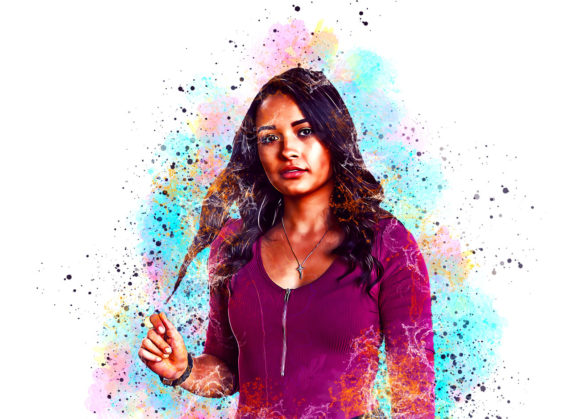
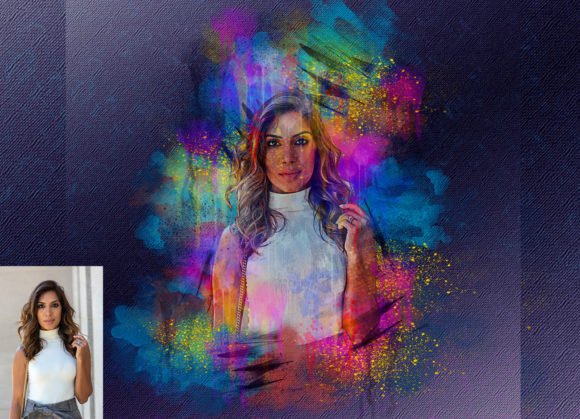
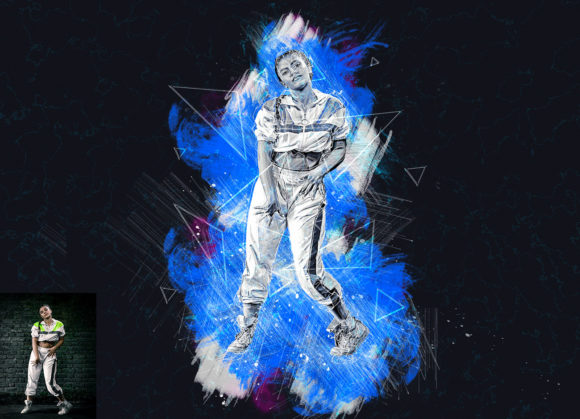
At its heart, a Photoshop action is a recorded sequence of commands that can be played back on any open image. The Comic Watercolor Effect Photoshop Action distinguishes itself by combining two distinct artistic styles: the bold, defined lines typical of comic books and the soft, fluid textures of watercolor painting. This hybrid approach creates a unique aesthetic that is neither purely illustrative nor strictly photographic.
The process is designed to be non-destructive, meaning the original image data remains intact. This is a critical feature for professional workflows, as it allows for endless experimentation without the risk of permanently altering the source file. The action generates organized layers, giving users full control over opacity, blending modes, and color adjustments after the effect has been applied. This level of customization ensures that the final output can be tailored to specific project requirements rather than relying on a rigid, one-size-fits-all filter.
Technical Compatibility and System Requirements
Before integrating any new tool into your creative pipeline, verifying software compatibility is paramount. This particular action has been rigorously tested on English versions of Adobe Photoshop, ranging from CS5.5 to the more recent CC2020. Supported versions include:
- Photoshop CS5.5 and CS6
- Photoshop CC2014 through CC2019
- Photoshop CC2020 (English Version)
It is important to note that the action requires the English interface of Photoshop to function correctly. Users operating in other languages may encounter errors during playback due to differences in layer naming conventions and menu structures. Additionally, the action relies on specific brush dynamics and layer effects that are consistent across these supported versions, ensuring a stable experience for most long-term Adobe subscribers.
Workflow Integration and Preparation Steps
Achieving high-quality results with automated actions often requires proper image preparation. Unlike simple filters that can be applied with a single click, the Comic Watercolor Effect Photoshop Action benefits from a structured setup process. Following the included instructions precisely can significantly impact the final visual quality.
First, canvas expansion is recommended. To accommodate the artistic borders and stylistic elements often associated with comic layouts, users should expand their canvas area. A common practice involves using the crop tool to add space around the subject, aiming for dimensions such as 2000x3000 pixels or 3000x2000 pixels at 72 DPI. This resolution is ideal for digital display and web usage, balancing file size with visual clarity.
Second, the action utilizes a specific layer named “paint” (in lowercase) to determine where the watercolor textures should be applied. Users must create a new layer, rename it exactly as specified, and use a brush to paint over the areas they wish to affect. This step provides manual control over the intensity and placement of the effect, allowing for selective stylization rather than a uniform application across the entire image. Once the painting is complete, hiding the visibility of this layer and playing the action triggers the transformation.
Customization Options and Creative Flexibility
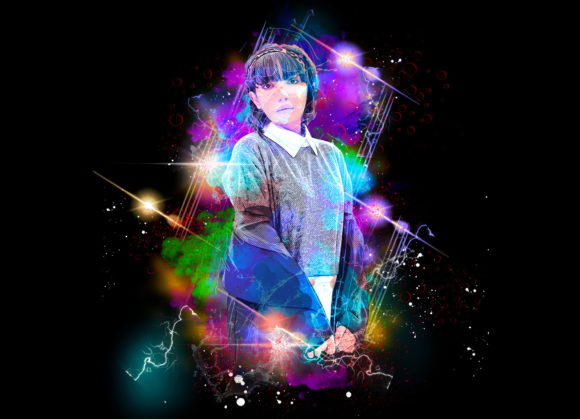
One of the standout features of this pack is its versatility in color grading. Upon installation, users gain access to ten different color options. These presets allow for rapid experimentation with various moods and tones, from warm, sunset-inspired palettes to cool, monochromatic schemes. Changing colors is straightforward, enabling artists to match the artwork to brand guidelines or personal preferences without starting from scratch.
The inclusion of custom brushes further enhances the creative potential. These brushes are designed to complement the watercolor texture, providing natural-looking strokes that mimic traditional media. For those who prefer a more hands-on approach, these brushes can be used independently of the action, offering additional value beyond the automated process.
Comparing Automated Actions to Manual Techniques
When evaluating the Comic Watercolor Effect Photoshop Action, it is helpful to compare it against manual editing techniques and other automated solutions. Manual creation of a comic watercolor style involves extensive knowledge of layer masks, blend if sliders, filter galleries, and brush engines. This process can take hours for a single image and requires a high level of technical skill.
In contrast, the action reduces this timeframe to minutes. However, this efficiency comes with tradeoffs. Manual editing offers unlimited flexibility, allowing for precise control over every pixel. Automated actions, while highly customizable, operate within the parameters set by the creator. For users who need to process multiple images with a consistent look, such as for a social media campaign or a series of illustrations, the action provides unparalleled consistency and speed.
Compared to standalone mobile apps or AI-driven generators, this Photoshop action offers superior integration with professional workflows. Mobile apps often compress images and limit export options, while AI generators may struggle with maintaining specific character details or facial recognition. The Comic Watercolor Effect Photoshop Action preserves the integrity of the original photograph, ensuring that key features remain recognizable while applying the stylistic overlay.
Ideal Use Cases and Limitations
This tool is particularly well-suited for portrait photographers, digital illustrators, and graphic designers looking to add a unique flair to their portfolios. It is effective for creating eye-catching social media content, book covers, and promotional materials where a stylized, artistic look is desired. The non-destructive nature of the action makes it ideal for client work, where revisions and color adjustments are common.
However, there are limitations to consider. The effectiveness of the action depends heavily on the quality of the source image. Low-resolution photos or images with poor lighting may not yield optimal results. Additionally, while the action is easy to install and use, users must be comfortable with basic Photoshop functionalities, such as layer management and brush tools. Those completely new to Photoshop may find the initial setup slightly challenging, although the included PDF help file and user guide provide step-by-step instructions to mitigate this learning curve.
Making the Right Choice for Your Workflow
Deciding whether to incorporate the Comic Watercolor Effect Photoshop Action into your toolkit depends on your specific needs and existing skill set. If you frequently create stylized imagery and value efficiency without sacrificing quality, this action offers a compelling balance. It eliminates the repetitive tasks associated with manual styling while retaining enough flexibility for creative expression.
For professionals who require absolute control over every aspect of the image, manual techniques may still be preferable for high-end commercial projects. However, for rapid prototyping, personal projects, or consistent branding across multiple images, this action serves as a powerful resource. By understanding its capabilities, compatibility, and preparation requirements, users can leverage this tool to enhance their creative output effectively.
Ultimately, the value of this product lies in its ability to democratize a complex artistic style. It allows photographers and designers to experiment with comic watercolor aesthetics without needing years of training in traditional media or advanced digital painting techniques. With proper preparation and an understanding of its features, it can become a staple in your digital artistry arsenal.