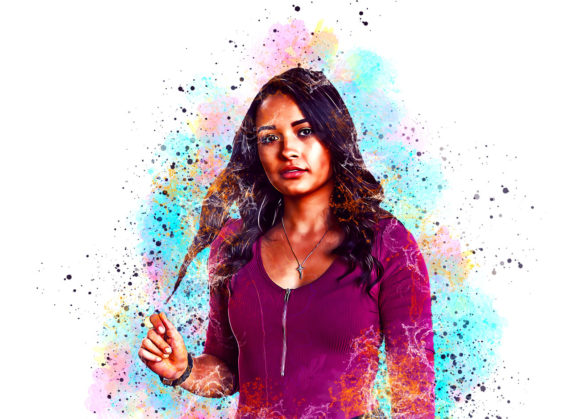
Transforming Photos into Art with a Watercolor Oil Paint Photoshop Action
Digital photography has given us the ability to capture moments with crystal clarity, but sometimes, hyper-realism isn’t the aesthetic we are aiming for. There is a growing demand for images that feel handcrafted, textured, and emotionally resonant. This is where a Watercolor Oil Paint Photoshop Action becomes an invaluable tool for creators. Instead of spending hours manually painting over a photograph or mastering complex digital illustration techniques, this automated workflow allows you to blend the fluidity of watercolors with the rich texture of oil paints in just a few clicks.
For photographers, graphic designers, and social media managers, the pressure to produce unique visual content is constant. Using a specialized action helps bridge the gap between standard photo editing and fine art creation. It is not just about applying a filter; it is about adding depth, character, and a distinct artistic signature to your work. Whether you are looking to refresh your portfolio, create eye-catching marketing materials, or simply experiment with new styles, understanding how to effectively use this tool can significantly elevate your output.
Why Choose a Hybrid Watercolor and Oil Effect?
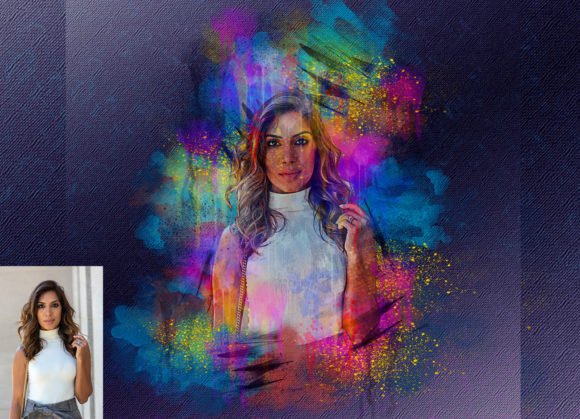
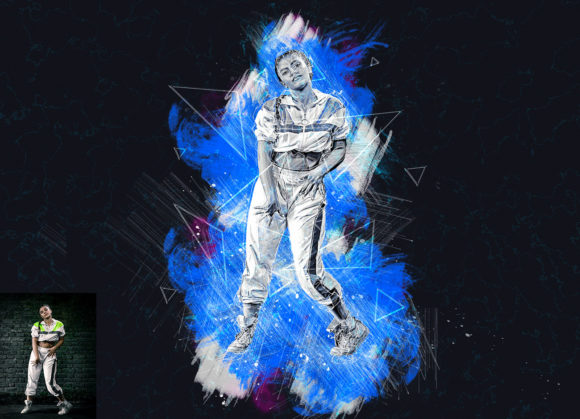
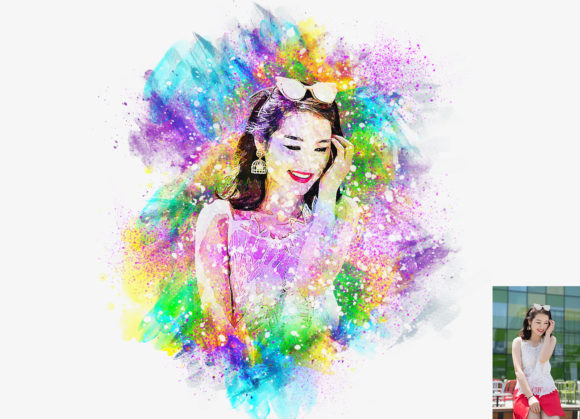
Traditional digital filters often fall short because they apply a uniform effect across the entire image, resulting in a flat, artificial look. A high-quality Watercolor Oil Paint Photoshop Action works differently. It typically relies on user input—specifically, painting on a designated layer—to guide where the artistic effects should be most prominent. This hybrid approach combines the soft, bleeding edges characteristic of watercolor with the thick, impasto-style strokes associated with oil painting.
The result is an image that retains the structural integrity of the original photograph while gaining the organic imperfections of traditional media. This duality makes it perfect for subjects that benefit from both softness and definition. For instance, a portrait might feature soft, watery backgrounds that draw attention to sharply defined, oil-textured facial features. This level of control ensures that the final image feels intentional and curated rather than randomly generated by software.
Real-World Applications for Creators and Businesses
The versatility of this tool means it fits seamlessly into various professional and personal workflows. Here is how different users can leverage this action to solve specific creative challenges.
Elevating Social Media Presence
In the crowded landscape of Instagram and Pinterest, standing out requires a consistent and recognizable visual style. Bloggers and influencers often struggle to maintain a cohesive feed when mixing standard photos with graphic designs. By applying a Watercolor Oil Paint Photoshop Action to their imagery, they can create a unified artistic theme. This is particularly effective for lifestyle bloggers, travel writers, and food photographers who want to evoke a sense of nostalgia or warmth. The textured look stops the scroll, inviting users to engage with the content on a deeper emotional level.
Unique Marketing and Advertising Assets
Small business owners and marketers frequently need visuals that do not look like stock photography. Generic images fail to convey brand personality. Using this action, a boutique owner can transform product shots into artistic pieces that align with a handmade or artisanal brand identity. For example, a jewelry brand might use the oil paint texture to highlight the metallic sheen of their products while using watercolor effects to soften the background, creating a luxurious yet approachable advertisement. This differentiation helps build brand recognition and perceived value.
Personalized Gifts and Print-on-Demand
The print-on-demand industry thrives on unique designs that customers cannot find elsewhere. Freelancers and hobbyists can use this action to create custom artwork for phone cases, canvas prints, and greeting cards. By converting a customer’s pet photo or family portrait into a watercolor-oil hybrid piece, creators offer a personalized service that commands a higher price point. The action simplifies the production process, allowing sellers to scale their offerings without needing advanced painting skills.
Educational and Editorial Illustrations
Educators and publishers often need illustrations that are engaging but not overly distracting. The soft, artistic nature of this effect is ideal for textbook covers, blog headers, and educational materials. It adds a human touch to digital content, making it feel more accessible and less sterile. For history or literature blogs, this style can evoke a classical feel, connecting modern readers with traditional artistic sensibilities.
Understanding the Workflow: Simplicity Meets Control
One of the biggest barriers to adopting new digital tools is the learning curve. However, this Watercolor Oil Paint Photoshop Action is designed for users of all skill levels, including those with no prior Photoshop experience. The process is straightforward but requires attention to detail to achieve the best results.
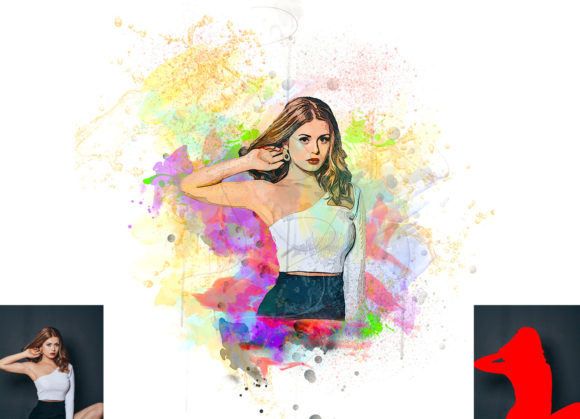
The core mechanism involves a simple three-step process. First, you open your chosen photo in Photoshop. Second, you create a new layer and rename it “paint” in lowercase letters. This naming convention is crucial because the action is programmed to recognize this specific layer name. Third, you use a soft brush to paint over the areas of the image where you want the artistic effect to appear. You do not need to be precise; broad strokes work best. Once you have marked these areas, you hide the paint layer and run the action.
This method gives you complete control over the composition. Unlike global filters that affect the whole image equally, this technique allows you to decide which parts of the photo remain realistic and which parts transform into art. You might choose to keep the eyes sharp while turning the hair into swirling oil strokes, or you might soften the background entirely to create a dreamy atmosphere.
Technical Compatibility and File Organization
Before downloading or purchasing any digital asset, it is essential to ensure compatibility with your current software setup. This specific action set has been tested and optimized for English versions of Photoshop, ranging from CS5.5 to CC2020. It includes two separate ATN files to ensure smooth performance across different versions:
- For Older Versions: Users on CS5.5 and CS6 should use the dedicated legacy file to avoid script errors.
- For Modern Versions: Users on CC, CC2015.5, CC2016, CC2017, CC2018, CC2019, and CC2020 should use the updated CC2020 file for optimal performance.
The package is well-organized, containing not just the action files but also a brushes file, ten different color options, and comprehensive help files in PDF format. The inclusion of ten color variations allows for extensive customization. You are not locked into a single preset; instead, you can tweak the hue and saturation to match your brand colors or the mood of the photograph. The organized layer structure means that after the action runs, you can further adjust opacity, blending modes, and individual elements to fine-tune the final look.
What to Consider Before Using This Action
While the tool is powerful, achieving stunning results requires some preparation. Not every photograph is suitable for this treatment. Images with high contrast and clear subjects tend to work better than low-light or blurry photos. Additionally, the resolution of your original image matters. High-quality inputs yield high-quality outputs, so always start with the highest resolution file available.
It is also important to remember that this is a starting point, not necessarily the final product. The most successful users treat the action as a base layer. They may combine it with additional adjustments, such as color grading or sharpening, to create a truly unique piece. Experimentation is key. Try different brush sizes and pressures on the “paint” layer to see how they influence the final texture. Over time, you will develop an intuition for how much "paint" to apply to achieve the desired balance between realism and abstraction.
In conclusion, a Watercolor Oil Paint Photoshop Action is more than just a plugin; it is a creative accelerator. It democratizes access to complex artistic styles, allowing photographers, designers, and entrepreneurs to produce professional-grade, artistic visuals without years of training. By integrating this tool into your workflow, you can add a distinctive, handcrafted feel to your digital content, helping you stand out in a saturated market.