Transforming Ordinary Photos into Dynamic Splash Art with Photoshop Actions
In the ever-evolving landscape of digital photography and graphic design, the demand for unique, eye-catching visuals has never been higher. Whether you are a professional photographer looking to expand your portfolio, a social media manager seeking standout content, or a hobbyist eager to experiment with new styles, finding efficient ways to achieve high-end artistic effects is crucial. One such effect that has gained significant traction is the Splash Art aesthetic. This vibrant, fluid style mimics the look of paint splattering across a canvas, adding energy and movement to static images. While creating this effect manually in Adobe Photoshop can be time-consuming and technically demanding, tools like the Splash Art Photoshop Action have democratized this creative process, allowing users to transform ordinary photos into extraordinary images with just a few clicks.
Understanding the Splash Art Aesthetic
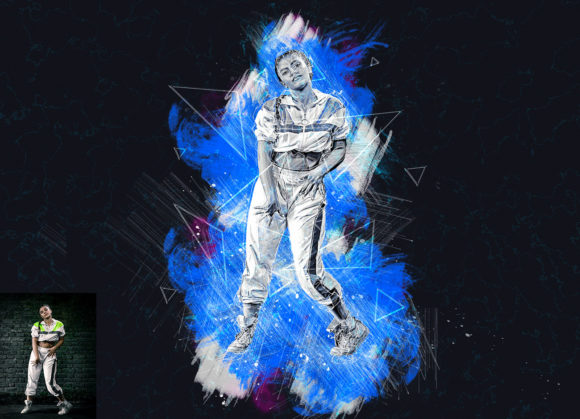
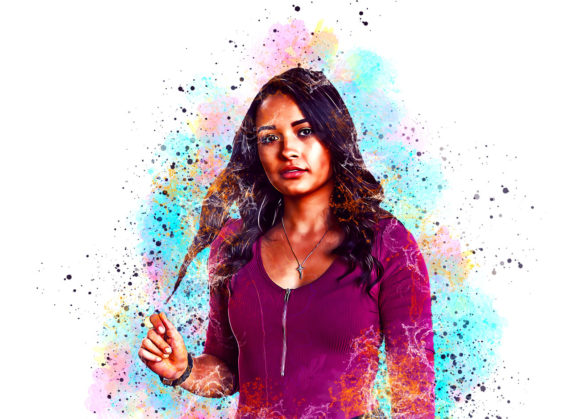
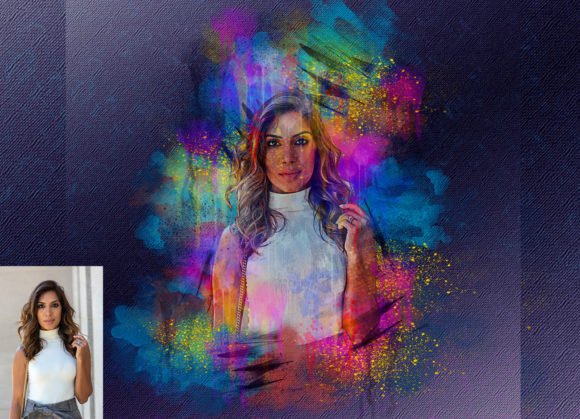
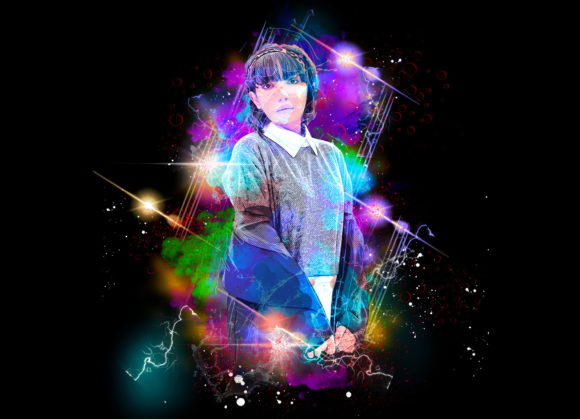
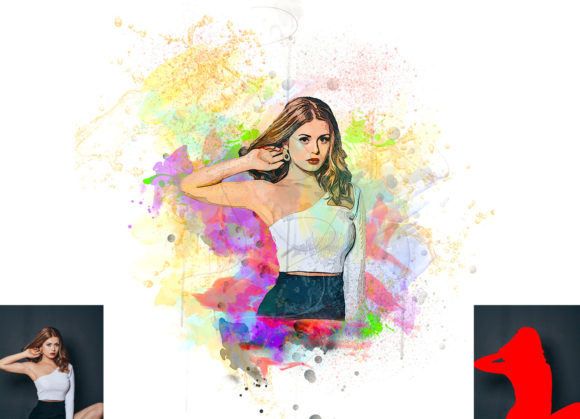
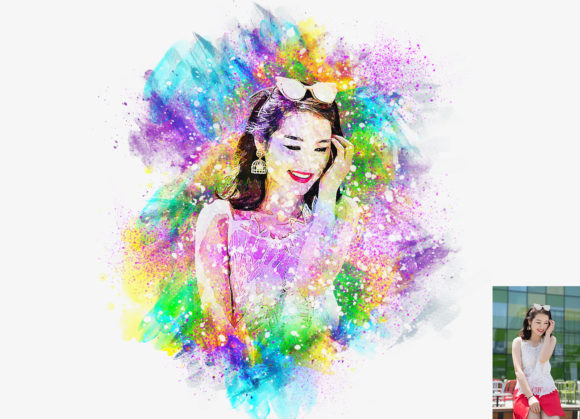
Before diving into the technical specifics of the tool, it is essential to understand what defines the Splash Art look. Characterized by bursts of color, dynamic lines, and a sense of chaotic beauty, splash art often resembles traditional acrylic or watercolor paintings where pigment is thrown or dripped onto a surface. In digital photography, this effect is used to highlight subjects, create depth, and inject personality into portraits, product shots, and landscapes. The contrast between the sharp details of the original photograph and the organic, fluid nature of the "paint" creates a visually striking composition that captures the viewer's attention immediately.
Historically, achieving this look required advanced knowledge of layer masks, brush dynamics, blending modes, and color theory. It was a labor-intensive process that could take hours per image. However, the introduction of automated workflows through Photoshop Actions has changed the game. The Splash Art Photoshop Action serves as a bridge between complex manual editing and instant gratification, offering a non-destructive way to apply these sophisticated effects while maintaining full control over the final output.
Key Features and Functionality
The core value of the Splash Art Photoshop Action lies in its simplicity and versatility. Designed to work seamlessly within the Adobe Photoshop ecosystem, this tool is engineered to be user-friendly without sacrificing professional quality. Here are some of the standout features that make it a valuable addition to any designer’s toolkit:
- Non-Destructive Editing: One of the most critical aspects of modern photo editing is the ability to make changes without permanently altering the original image. This action utilizes smart objects and adjustment layers, ensuring that you can tweak, remove, or refine the effect at any stage of your workflow.
- Customizable Color Options: Creativity thrives on variety. This pack includes 10 different color options, allowing you to match the splash effect to your brand colors, the mood of the photograph, or current design trends. Changing the color scheme is straightforward, requiring no advanced coding or scripting knowledge.
- High-Quality Results: The action is optimized for high-resolution outputs, supporting image sizes such as 2000x3000px or 3000x2000px at 72 DPI. This ensures that the final images are crisp and suitable for both web display and print media.
- Organized Layer Structure: Upon execution, the action generates a well-organized layer panel. This transparency allows users to understand how the effect is constructed, making it easier to customize individual elements like opacity, blend modes, and brush textures.
Compatibility and System Requirements
For any digital tool to be useful, it must integrate smoothly with existing software environments. The Splash Art Photoshop Action has been rigorously tested to ensure compatibility across a wide range of Adobe Photoshop versions. It is specifically designed for English versions of the software, including:
- Photoshop CS5.5
- Photoshop CS6
- Photoshop CC2014 through CC2020
It is important to note that the action requires the English interface to function correctly, as it relies on specific layer names and menu commands. Users operating non-English versions may need to switch their software language temporarily or manually adjust layer names, which can be a slight hurdle for some. However, for the vast majority of users on standard English installations, the installation process is seamless.
Step-by-Step Usage Guide
One of the selling points of this action is its ease of use. Even those with minimal Photoshop experience can achieve professional results by following a simple workflow. Here is how to get started:
First, open your desired photo in Photoshop. To ensure the action works correctly, you must prepare your file according to specific instructions. Create a new layer and rename it exactly as "paint" (in lowercase). This step is crucial because the action script looks for this specific layer name to apply the brush strokes.
Next, select a brush from the included brush file or use a standard hard-round brush. On the "paint" layer, roughly paint over the areas of the image where you want the splash effect to originate. This does not need to be precise; the action will interpret these strokes as the source of the splash. Once you have painted the desired areas, hide the visibility of the "paint" layer by clicking the eye icon. Keep the layer selected, then navigate to the Actions panel and click the play button.
The action will automatically process the image, generating the splash effects based on your input. Within seconds, you will see your ordinary photo transformed into a dynamic piece of splash art. From there, you can explore the generated layers to fine-tune the result, adjusting colors or intensity as needed.
Real-World Applications and Use Cases
The versatility of the Splash Art Photoshop Action makes it suitable for a wide array of projects. Here are a few scenarios where this tool can add significant value:
Social Media Marketing: In the crowded feed of Instagram or Facebook, static images often get lost. Adding a splash art effect can make product photos or promotional portraits pop, increasing engagement rates. The ability to quickly generate multiple color variations allows marketers to A/B test different visuals efficiently.
Music and Event Posters: Concert flyers and album covers often benefit from high-energy, abstract designs. The chaotic yet controlled nature of splash art aligns perfectly with genres like rock, electronic, and hip-hop, providing a visual representation of sound and movement.
Portrait Photography: Photographers can use this action to add an artistic flair to headshots or fashion portraits. By keeping the subject’s face clear while adding splashes around the edges or background, the focus remains on the person while the overall image gains a creative edge.
Evaluating Suitability and Limitations
While the Splash Art Photoshop Action is a powerful tool, it is essential to have realistic expectations. It is not a magic wand that fixes poor-quality photos. The source image should ideally have good lighting and contrast to ensure the best results. Additionally, because the effect is automated, it may not offer the same level of granular control as a hand-painted digital illustration. However, for speed and consistency, it is unmatched.
Users should also consider the learning curve associated with layer management. While the action organizes layers automatically, understanding how to tweak blending modes and opacity settings will help you maximize the potential of the tool. The included PDF help file and 24-hour support are valuable resources for troubleshooting any issues that may arise during the initial setup.
Conclusion
In conclusion, the Splash Art Photoshop Action represents a significant leap forward in accessible digital art creation. By combining professional-grade effects with an intuitive, non-destructive workflow, it empowers creators of all skill levels to produce stunning visuals efficiently. Whether you are looking to enhance your social media presence, create compelling marketing materials, or simply explore new artistic horizons, this tool offers a practical and effective solution. With its broad compatibility, customizable color options, and high-quality output, it stands out as a valuable asset in the modern designer’s arsenal. As digital content continues to dominate our visual landscape, tools that facilitate creativity without compromising on quality will remain indispensable.