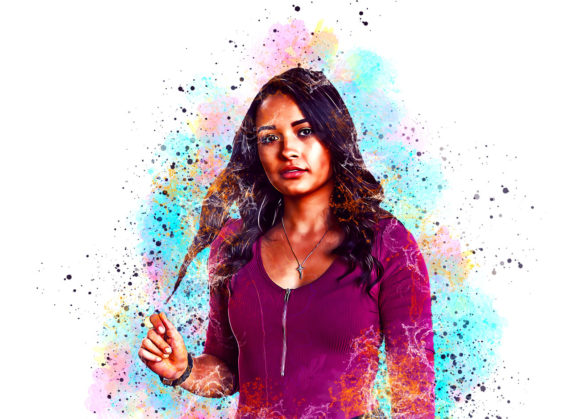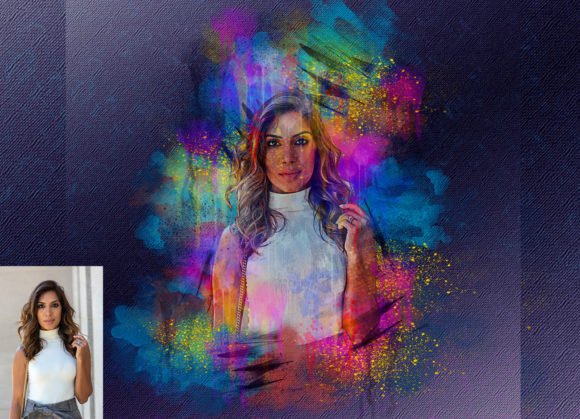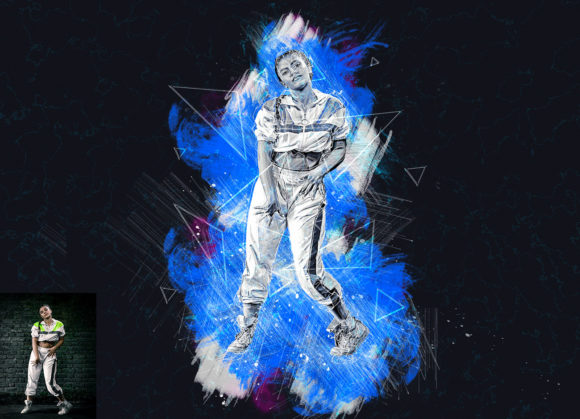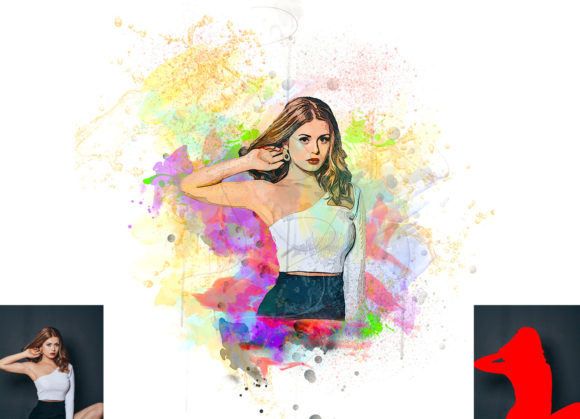
Transforming Photos into Paintings with the Watercolor Artist Photoshop Action
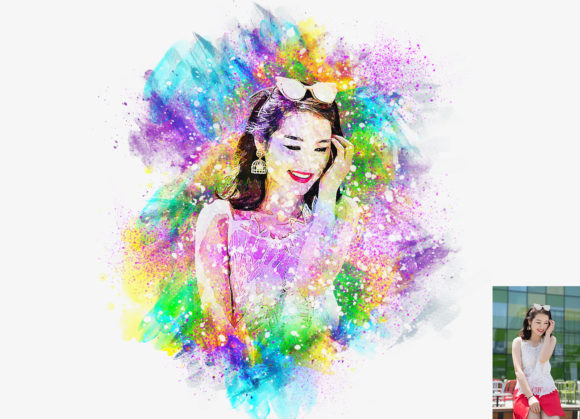
Digital photography has given us the power to capture moments with crystal clarity, but sometimes, that hyper-realism isn't the aesthetic we are chasing. There is a growing desire among creatives, marketers, and hobbyists alike to soften the edges of reality, introducing the organic, fluid beauty of traditional media into digital workflows. This is where the Watercolor Artist Photoshop Action becomes an invaluable tool. It is not just a filter; it is a bridge between the precision of modern photography and the expressive freedom of hand-painted art.
For many, the idea of manually painting a photograph in Photoshop is daunting. It requires hours of layering, masking, and brushwork that only seasoned digital painters can master efficiently. However, this action democratizes that process. By automating the complex technical steps, it allows users to transform ordinary photos into extraordinary watercolor images with just a few clicks. The result is a non-destructive, highly customizable effect that retains the soul of the original image while wrapping it in the delicate texture of paper and pigment.
Bridging the Gap for Professional Designers
In the world of graphic design and advertising, standing out is everything. Standard stock photography often feels sterile or overused. Designers working on branding materials, book covers, or editorial layouts frequently seek visuals that evoke emotion rather than just displaying information. The Watercolor Artist Photoshop Action offers a quick solution to this creative block.
Consider a designer working on a wedding invitation suite. Couples today often want their save-the-dates or invitation backgrounds to feel personal and artistic. By taking a high-resolution photo of the couple or their venue and applying this action, the designer can create a soft, romantic backdrop that feels bespoke. The ability to choose from ten different color options means the designer can match the watercolor tones precisely to the wedding’s color palette without spending hours adjusting hue and saturation sliders manually.
Similarly, in the publishing industry, book cover designers often need imagery that suggests mood rather than literal representation. A mystery novel might benefit from a darker, more saturated watercolor effect, while a self-help book might require light, airy pastels. This tool allows for rapid prototyping of these concepts, enabling designers to present multiple visual directions to clients quickly.
Elevating Social Media and Content Creation
We live in an attention economy, particularly on platforms like Instagram, Pinterest, and TikTok. Users scroll through hundreds of images daily, and standard photos often blend into the background. Content creators who specialize in lifestyle, travel, or fashion are constantly looking for ways to differentiate their feed. Applying a watercolor effect can turn a standard travel snapshot into a piece of digital art that stops the scroll.
Imagine a travel blogger posting about a trip to Kyoto. Instead of a sharp, high-contrast photo of a temple, they use the Watercolor Artist Photoshop Action to render the scene in soft blues and greys, mimicking the style of traditional Japanese sumi-e painting. This not only enhances the storytelling but also creates a cohesive aesthetic for their brand. The ease of use means they can process multiple images from a trip in a fraction of the time it would take to edit them manually, maintaining a consistent look across their portfolio.
Furthermore, influencers and small business owners often lack the budget for custom illustrations. This action serves as a cost-effective alternative. They can take product photos—such as jewelry, cosmetics, or handmade goods—and apply the watercolor effect to create unique promotional graphics that feel artisanal and high-end, aligning perfectly with brands that value craftsmanship and authenticity.
A Tool for Personal Expression and Gifting
Beyond professional applications, this tool has significant value for personal use. Many people look for meaningful, unique gifts for anniversaries, birthdays, or memorials. A printed watercolor-style portrait of a loved one, a pet, or a family home carries a sentimental weight that a standard photograph often lacks.
The process is accessible even to those with limited Photoshop experience. The key lies in the preparation. As noted in the instructions, extracting the canvas area and resizing the image to 3000x3000 pixels at 72 DPI ensures that the final output is crisp and suitable for printing. By creating a new layer named “paint” and loosely brushing over the subject, the user guides the action on where to focus the artistic effect. This simple step empowers users to control the intensity and placement of the watercolor bleed, making each result unique.
For hobbyists interested in digital art, this action serves as an excellent learning tool. By examining the organized layers generated by the action, users can see how professional digital painters structure their files. They can observe how masks, adjustment layers, and blending modes interact to create the final look. This educational aspect adds value beyond the immediate visual result, helping users improve their overall Photoshop skills.
Technical Considerations and Best Practices
While the Watercolor Artist Photoshop Action is designed for ease of use, achieving the best results requires understanding a few technical nuances. First and foremost, compatibility is crucial. This action has been tested and optimized for Photoshop English versions, ranging from CS5.5 up to CC2020. Users must ensure they are running an English version of the software, as actions often rely on specific layer names and menu commands that may differ in other languages.
Preparation of the source image is another critical factor. The action works best when the user takes the time to extend the canvas. Simply cropping an image tightly can result in the watercolor effect feeling cramped or cut off. By extending the canvas on two sides or all sides, the user provides space for the artistic "bleed" that characterizes real watercolor paintings. This white space allows the digital pigments to flow naturally, enhancing the realism of the effect.
The non-destructive nature of the action is a significant strength. Because it generates organized layers, users can go back and tweak individual elements. If the color intensity is too high, they can adjust the opacity of specific layers. If the texture is too prominent, they can soften the paper grain layer. This flexibility ensures that the tool adapts to the user’s vision rather than forcing a one-size-fits-all outcome.
Navigating Limitations and Expectations
It is important to approach this tool with realistic expectations. While it produces high-quality results, it is not a replacement for a skilled human painter in every context. Complex images with excessive detail or poor lighting may not translate well into the watercolor medium. The action relies on the underlying structure of the photo; if the original image is blurry or low-resolution, the output will reflect those flaws.
Additionally, the "paint" layer step requires a bit of intuition. Users need to understand that they are essentially telling the software where the main subject is. Rough, broad strokes are usually more effective than detailed tracing. The goal is to provide a guide for the algorithm, not to create a perfect mask. Over time, users develop a feel for how much brushwork is needed to achieve the desired balance between photographic realism and artistic abstraction.
Ultimately, the Watercolor Artist Photoshop Action is a powerful asset for anyone looking to infuse their digital images with warmth, texture, and artistic flair. Whether you are a professional designer seeking efficiency, a content creator aiming for uniqueness, or an individual looking to create a heartfelt gift, this tool offers a seamless pathway to achieving a sophisticated watercolor aesthetic. By combining technical precision with creative freedom, it opens up new possibilities for visual storytelling in the digital age.