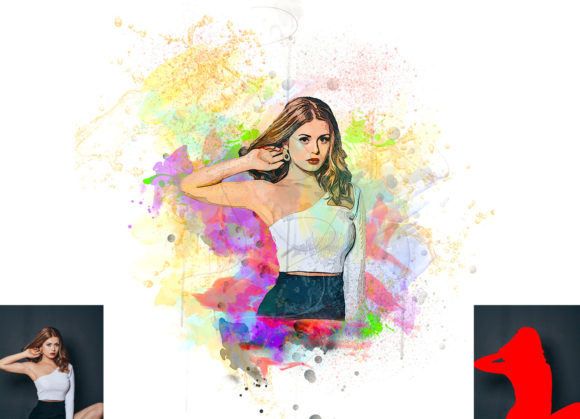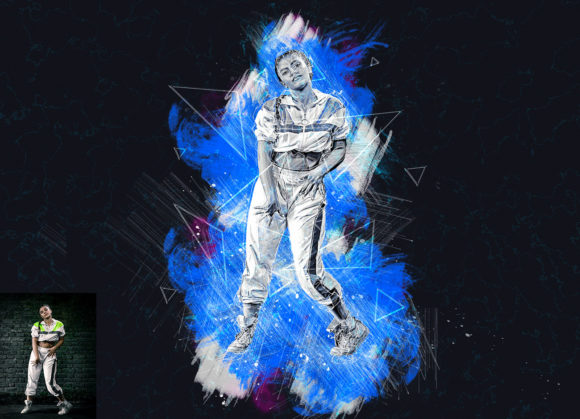
Transforming Ordinary Photos into Extraordinary Art with the Grunge Sketch Photoshop Action
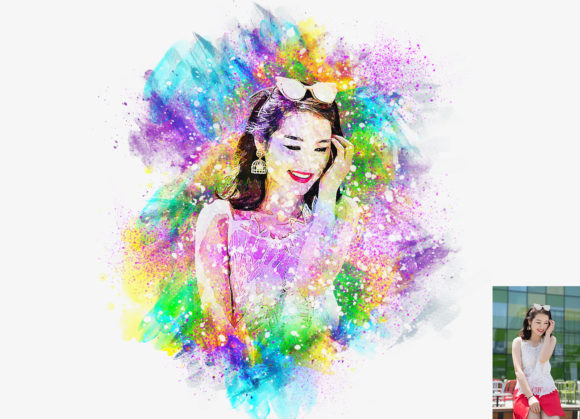
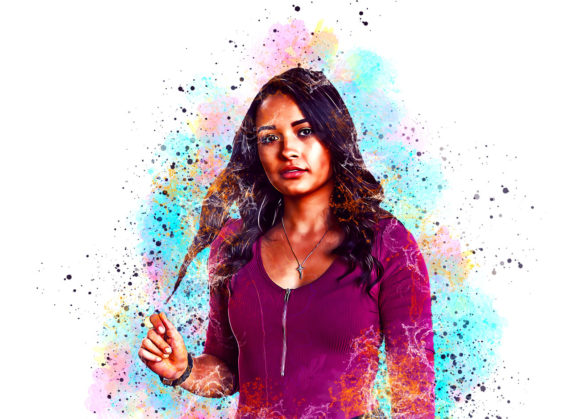
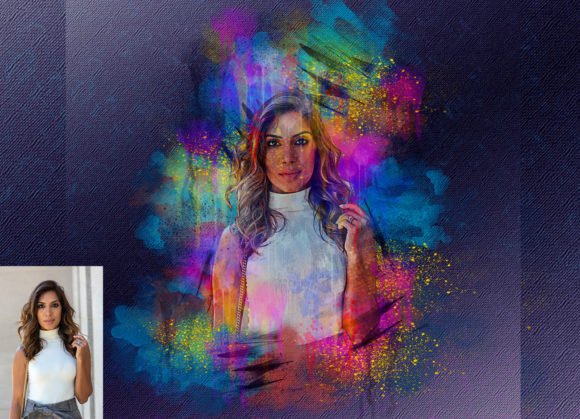
In the fast-paced world of digital design, the demand for unique, high-impact visuals is higher than ever. Whether you are a professional graphic designer, a social media content creator, or a photography enthusiast, finding tools that streamline your workflow while delivering premium results is essential. One such tool that has gained significant traction among creative professionals is the Grunge Sketch Photoshop Action. This powerful automated script is designed to transform standard photographs into realistic, textured grunge sketches, turning ordinary images into extraordinary works of art with just a few clicks.
The Power of Non-Destructive Editing
One of the most critical features of any modern Photoshop tool is its ability to remain non-destructive. The Grunge Sketch Photoshop Action excels in this area, ensuring that your original image data remains intact throughout the editing process. This is particularly important for professionals who may need to revisit a project weeks or months later to make adjustments. Because the effect is applied through organized layers and adjustment masks, you retain full control over the intensity, color, and composition of the final piece.
This flexibility allows designers to experiment freely. You can toggle visibility on specific layers, adjust opacity, or swap out color schemes without having to start from scratch. The action creates a structured layer hierarchy, making it easy to identify which elements contribute to the sketch effect, the background texture, and the color grading. This level of organization is a hallmark of professional-grade assets and significantly reduces the time spent troubleshooting complex PSD files.
Customization and Color Versatility
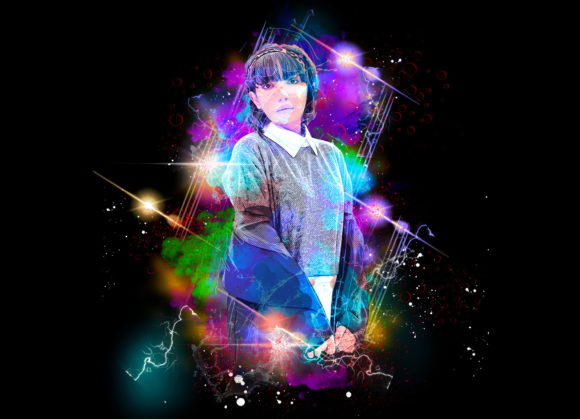
A common misconception about automated actions is that they produce rigid, one-size-fits-all results. However, the Grunge Sketch Photoshop Action defies this expectation by offering extensive customization options. Upon installation and execution, users are presented with ten different color options. These presets are not merely filters; they are carefully curated palettes that interact with the underlying sketch textures to create distinct moods and atmospheres.
Changing the color scheme is incredibly straightforward. The action includes an "unviewed eye" feature or simply visible layer groups that allow you to switch between these ten variations instantly. Whether you are aiming for a monochromatic charcoal look, a sepia-toned vintage feel, or a vibrant, high-contrast artistic interpretation, the action accommodates your creative vision. This versatility makes it suitable for a wide range of projects, from edgy streetwear branding to nostalgic editorial layouts.
Compatibility and Software Support
Before investing in any digital asset, compatibility is a primary concern. The Grunge Sketch Photoshop Action has been rigorously tested to ensure seamless performance across a broad spectrum of Adobe Photoshop versions. It is fully compatible with the English versions of Photoshop CS5.5, CS6, CC2014, CC2015, CC2015.5, CC2016, CC2017, CC2018, CC2019, and CC2020. This wide range of support ensures that users working with older hardware or specific legacy workflows can still benefit from this tool.
It is important to note that the action is optimized for English versions of the software. Users operating non-English interfaces may encounter issues with layer naming conventions, which are critical for the action to function correctly. Therefore, ensuring your Photoshop interface is set to English is a prerequisite for a smooth experience.
Step-by-Step Workflow for Optimal Results
To achieve the highest quality output, following the recommended workflow is essential. While the action automates the heavy lifting, proper preparation of your source image can significantly enhance the final result. Here is a practical guide to using the Grunge Sketch Photoshop Action effectively:
- Prepare Your Canvas: Start by extracting your canvas area. Select your background image and use the Crop Tool to extend the sides or all sides of the image. This extra space allows the grunge textures to breathe and prevents the sketch effect from feeling cramped.
- Resize for Quality: For the best resolution and detail, resize your image to approximately 3000x3000 pixels with a DPI of 72. This resolution strikes a balance between file size and visual fidelity, ensuring that the sketch lines remain crisp and the textures appear detailed rather than pixelated.
- Create the Paint Layer: Open your photo in Photoshop and create a new layer. Rename this layer “paint” in lowercase letters. This specific naming convention is crucial, as the action scripts look for this exact layer name to apply the effects correctly.
- Apply Base Strokes: Select a brush and paint over your image on the “paint” layer. This step guides the action on where to focus the sketch details. You don’t need to be perfect; broad strokes indicating light and shadow areas work best.
- Execute the Action: Close the eye icon on the “paint” layer to hide it, but keep the layer selected. Then, click the play button on the action panel. The script will process the image, generating the grunge sketch effect based on your underlying paint strokes.
What’s Included in the Package?
When you download the Grunge Sketch Photoshop Action, you receive a comprehensive package designed to get you up and running quickly. The file includes:
- Photoshop ATN Files: The core action file that automates the sketch creation process.
- Brushes File: Custom brushes tailored to work seamlessly with the action, enhancing the hand-drawn aesthetic.
- 10 Different Color Options: Pre-configured color grades to diversify your output.
- Help Files: Both a text-based help file and a PDF user guide are included to assist with installation and troubleshooting.
- Organized Layers: The resulting PSD file features clearly labeled and grouped layers for easy editing.
Practical Applications in Modern Design
The utility of the Grunge Sketch Photoshop Action extends beyond simple photo manipulation. In modern marketing, authenticity and texture are highly valued. Brands often seek to convey a raw, human touch to connect with audiences on a deeper level. This action allows marketers to create campaign visuals that feel handcrafted and unique, standing out against the polished, sterile imagery that dominates many digital platforms.
For portrait photographers, this tool offers a way to offer additional services to clients. By converting standard headshots into artistic grunge sketches, photographers can create striking wall art or unique profile pictures for creative professionals. The ease of use means that these additional products can be delivered quickly, increasing profitability without significantly increasing workload.
Furthermore, the action is versatile enough to work on every type of photo, from landscapes to close-up portraits. The key lies in the initial "paint" layer, which allows the user to dictate the focus of the sketch. This adaptability ensures that the tool remains relevant across various genres of photography and design.
Final Thoughts on Efficiency and Quality
In an industry where time is money, tools that combine speed with quality are invaluable. The Grunge Sketch Photoshop Action delivers high-quality results that would otherwise take hours to achieve manually. By automating the complex interplay of textures, brushes, and color grading, it empowers creators to focus on the artistic direction rather than the technical execution.
Whether you are looking to refresh your portfolio, create engaging social media content, or produce commercial artwork, this action provides a reliable and efficient solution. Its non-destructive nature, combined with extensive customization options and broad software compatibility, makes it a smart addition to any digital artist’s toolkit. By following the simple instructions and leveraging the included resources, you can consistently produce extraordinary images that capture attention and convey emotion.