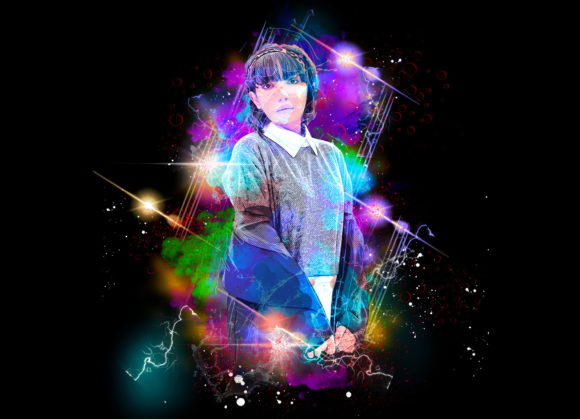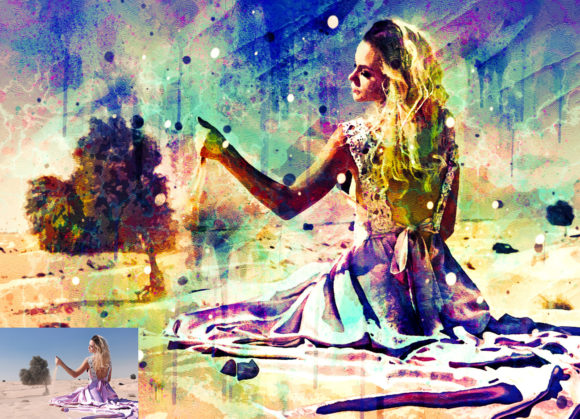
Watercolor Creator Photoshop Action Guide
Digital art has long been the domain of those with steady hands and years of practice, but technology continues to bridge the gap between imagination and execution. The Watercolor Creator Photoshop Action represents a significant shift in how creators approach texture and style. Instead of spending hours manually painting digital brushstrokes, this tool allows users to transform standard photographs into evocative, painterly images with remarkable speed. For anyone looking to infuse their visual content with organic warmth and artistic flair, understanding how this action works—and who it serves best—is the first step toward elevating your creative workflow.
Understanding the Tool
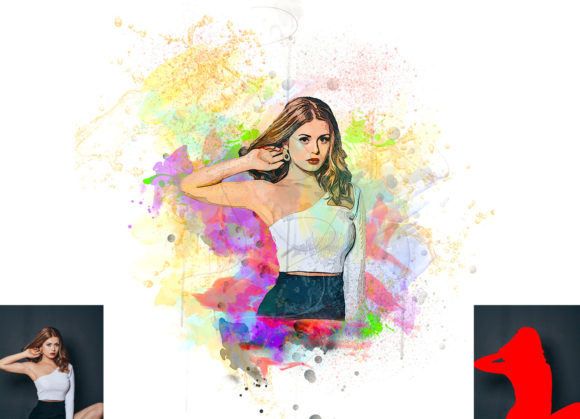
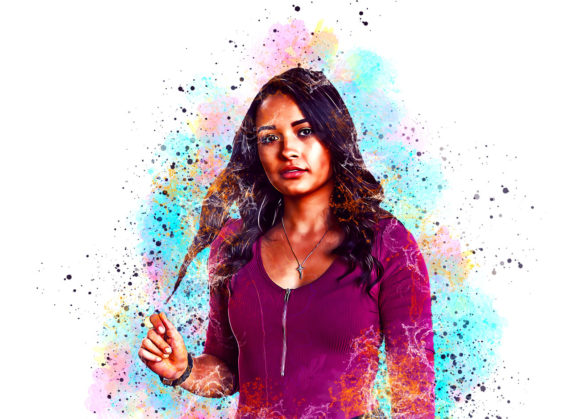
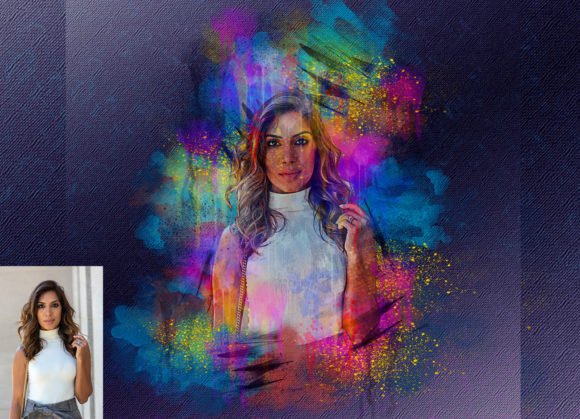
At its core, this software is a non-destructive automation script designed for Adobe Photoshop. It analyzes the luminance and color data of an image and applies a complex series of adjustments, filters, and layer styles to mimic the fluidity and transparency of traditional watercolor paint. The result is not merely a flat filter overlay; it is a structured composition of layers that retain the depth of the original photograph while imposing the aesthetic characteristics of hand-painted media.
One of the most compelling features of this pack is its versatility. Upon installation, users gain access to ten different color options, allowing for immediate customization without needing to delve into complex color theory or manual grading. This flexibility ensures that the final output can match specific brand guidelines, moods, or artistic visions. Furthermore, because the effect is non-destructive, every element remains editable. You can tweak opacity, adjust blending modes, or refine masks long after the initial action has been run, preserving the integrity of your source file.
Why Different Creators Value This Action
The utility of the Watercolor Creator Photoshop Action varies significantly depending on your professional background and creative goals. What serves as a time-saving shortcut for one user may serve as a creative springboard for another.
For Photographers and Digital Artists
Professional photographers often seek ways to differentiate their portfolios in a saturated market. By converting high-resolution portraits or landscapes into watercolor-style images, photographers can offer unique prints or digital assets that stand out from standard edits. The ability to work with high-quality results at 72 DPI and resolutions up to 3000x2000px ensures that these images remain sharp enough for web display and moderate-sized prints. For digital artists, this action serves as an excellent base layer. Rather than starting from a blank canvas, they can use the generated watercolor effect as an underpainting, adding manual details on top to create a hybrid piece that balances automation with human touch.
For Marketers and Small Business Owners
In the world of social media marketing and branding, consistency and aesthetic appeal are paramount. Small business owners, particularly those in lifestyle, wedding, or boutique sectors, often need visuals that feel soft, inviting, and artisanal. Manually creating such effects is prohibitively expensive and time-consuming. This action provides a reliable, repeatable method to generate cohesive imagery for Instagram posts, blog headers, or email newsletters. The ease of use means that entrepreneurs without deep technical skills can still produce professional-grade graphics that align with a gentle, organic brand identity.
For Educators and Hobbyists
Teachers and hobbyists often face budget constraints and steep learning curves when adopting new creative tools. The Watercolor Creator Photoshop Action lowers the barrier to entry for digital painting. Educators can use it to create engaging visual aids for history or literature lessons, transforming dry textbook images into vibrant, story-like illustrations. For hobbyists, it offers a playful way to experiment with family photos or travel snapshots, turning mundane memories into framed-worthy art pieces without the need for expensive physical supplies or cleanup.
Evaluating Ease of Use and Compatibility
A primary concern for any user adopting a new plugin or action is compatibility. This specific pack has been rigorously tested to ensure stability across a wide range of Adobe Photoshop versions, including CS5.5, CS6, and the Creative Cloud suite from CC2014 through CC2020. It is crucial to note that the action is optimized for the English version of the software. Users running localized versions may encounter errors if the layer names do not match the expected English terminology.
The installation process is designed to be straightforward. The download includes the essential ATN (action) files, custom brushes, and a comprehensive PDF help file. For beginners, the inclusion of a user guide and 24-hour support adds a layer of security, ensuring that technical hurdles do not become creative dead ends. The organized layer structure means that even those unfamiliar with Photoshop’s interface can navigate the file, identify which layers control color versus texture, and make informed adjustments.
Practical Applications and Workflow Tips
To get the most out of this tool, consider the nature of your source images. High-contrast photos with clear subjects tend to yield the best watercolor conversions, as the action relies on edge detection and tonal variation to define brushstrokes. Here is how different users might approach their workflow:
- Bloggers: Use the action to create featured images that break up text-heavy posts. Select one of the ten color presets that complements your site’s theme, then reduce the opacity slightly to ensure text overlays remain readable.
- Wedding Planners: Convert venue photos or mood board images into watercolor styles to present clients with a romantic, dreamy vision of their upcoming event. The soft edges and fluid colors evoke emotion more effectively than stark, realistic photography.
- Freelance Designers: Incorporate the generated textures into larger composite designs. Use the watercolor elements as backgrounds for typography or product mockups, leveraging the organized layers to mask out areas where clarity is needed.
Remember that the "easy to customize" claim is backed by the non-destructive nature of the file. Do not hesitate to experiment. If the default intensity feels too strong, lower the opacity of the top adjustment layers. If the colors feel off, utilize the included color options or apply a simple hue/saturation adjustment layer on top. The goal is not to let the software dictate the final look, but to provide a robust foundation upon which you can build your unique vision.
Making the Right Choice for Your Needs
Deciding whether to integrate the Watercolor Creator Photoshop Action into your toolkit depends on your priorities. If you value speed and consistency over total manual control, this action is an ideal solution. It eliminates the tedious process of simulating water behavior, paper texture, and pigment flow manually. However, if you require pixel-perfect precision for large-format printing beyond 3000 pixels, you may need to supplement the action with additional upscaling techniques or manual refinement.
Ultimately, this tool is about empowerment. It allows marketers to act like designers, photographers to act like painters, and hobbyists to act like professionals. By automating the technical complexities of watercolor simulation, it frees you to focus on composition, storytelling, and emotional impact. Whether you are updating your portfolio, refreshing your brand’s visual language, or simply exploring a new creative outlet, this action offers a accessible, high-quality pathway to achieving the timeless beauty of watercolor art in a digital space.